AssetPro
AssetPro is a dashboard to manage crypto assets for VASPs and other companies that need to send and receive cryptocurrency. Businesses can monitor and control their diverse range of crypto assets in one centralised location.
For the business-use-case framing — supplier payouts, batched disbursements, B2B treasury operations, multi-sig sign-off — see Enterprise Capabilities › Supplier Payouts and the underlying Custody Options page (AssetPro is the custodial model).
Treasury
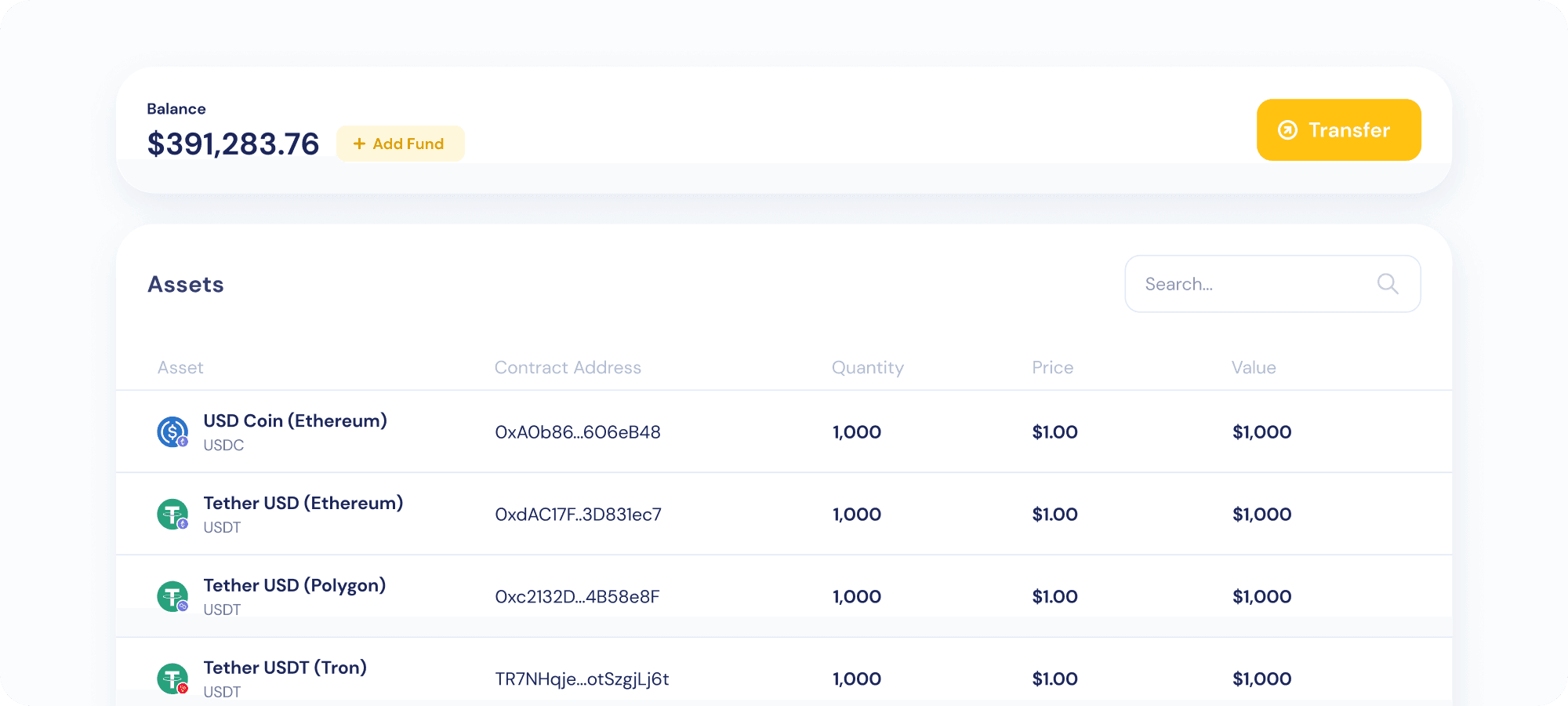
Treasury provides businesses with a straightforward interface that displays balances in their enterprise wallets across all supported chains.
Permission levels
AssetPro has three permission levels: Admin, Approver, and Trader.
- Admin — highest level of permissions, can perform all functions within AssetPro.
- Approver — has the authority to approve and view transactions.
- Trader — limited to viewing transactions only.
All three levels are authorised to submit transactions for approval.
Sending transactions
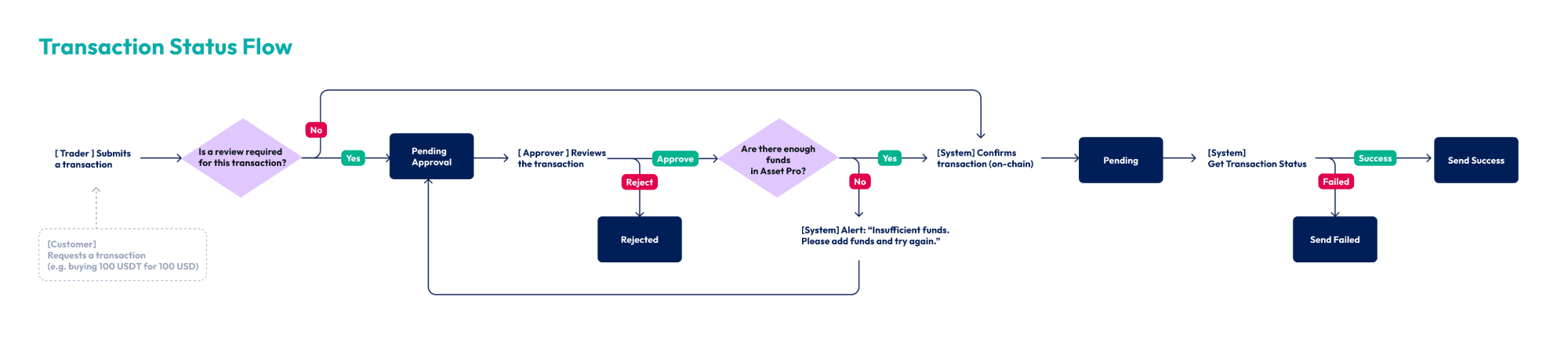
Personnel at all three permission levels can submit transactions in AssetPro on their company’s behalf. Transactions that fall below the specified approval threshold are processed on-chain immediately. Transactions exceeding the threshold require approval from an Approver. Transactions can be directed to a specific wallet address or to the wallet linked to an email or phone number of a KryptoGO user.
Daily transfer limit
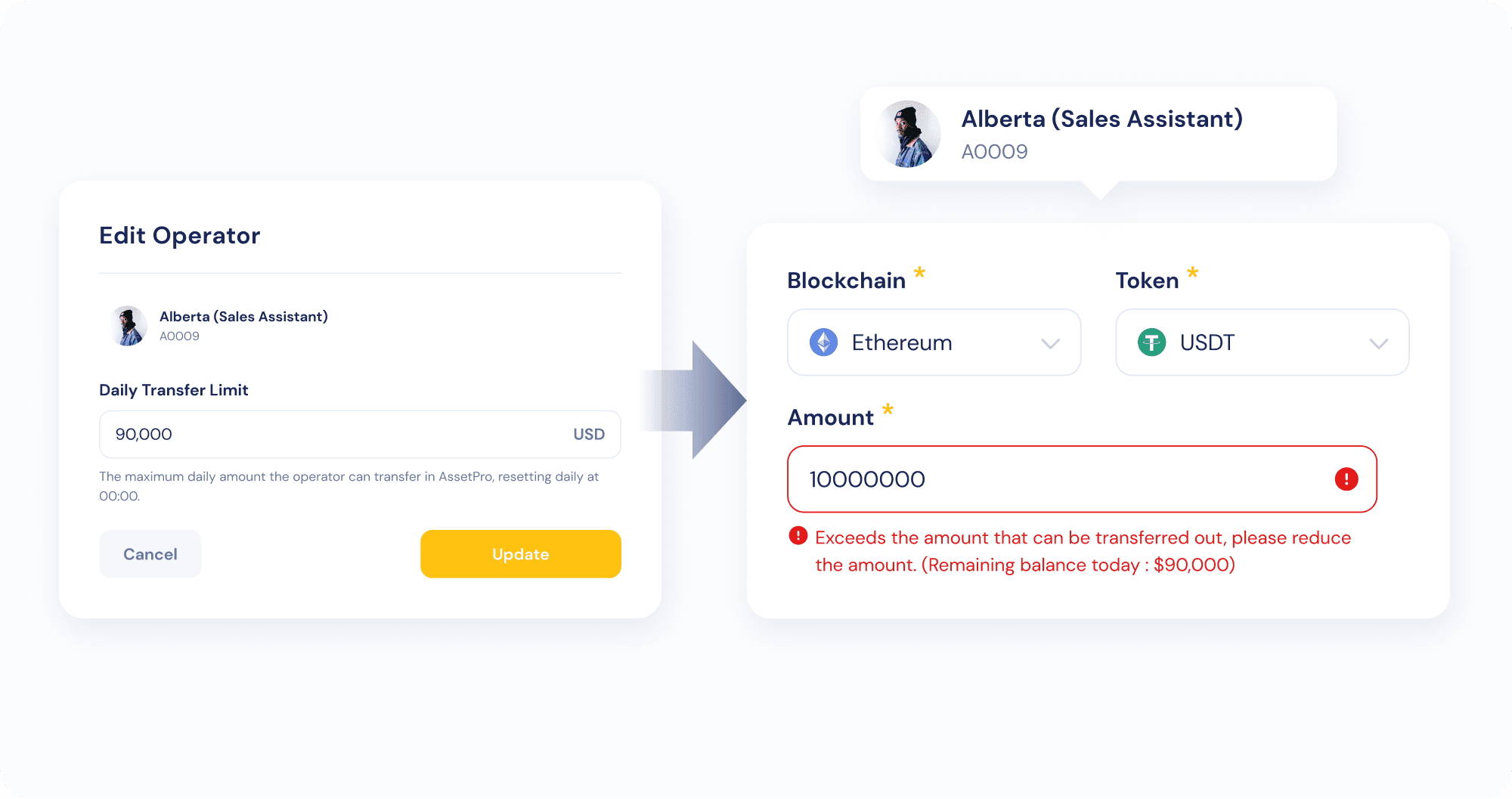
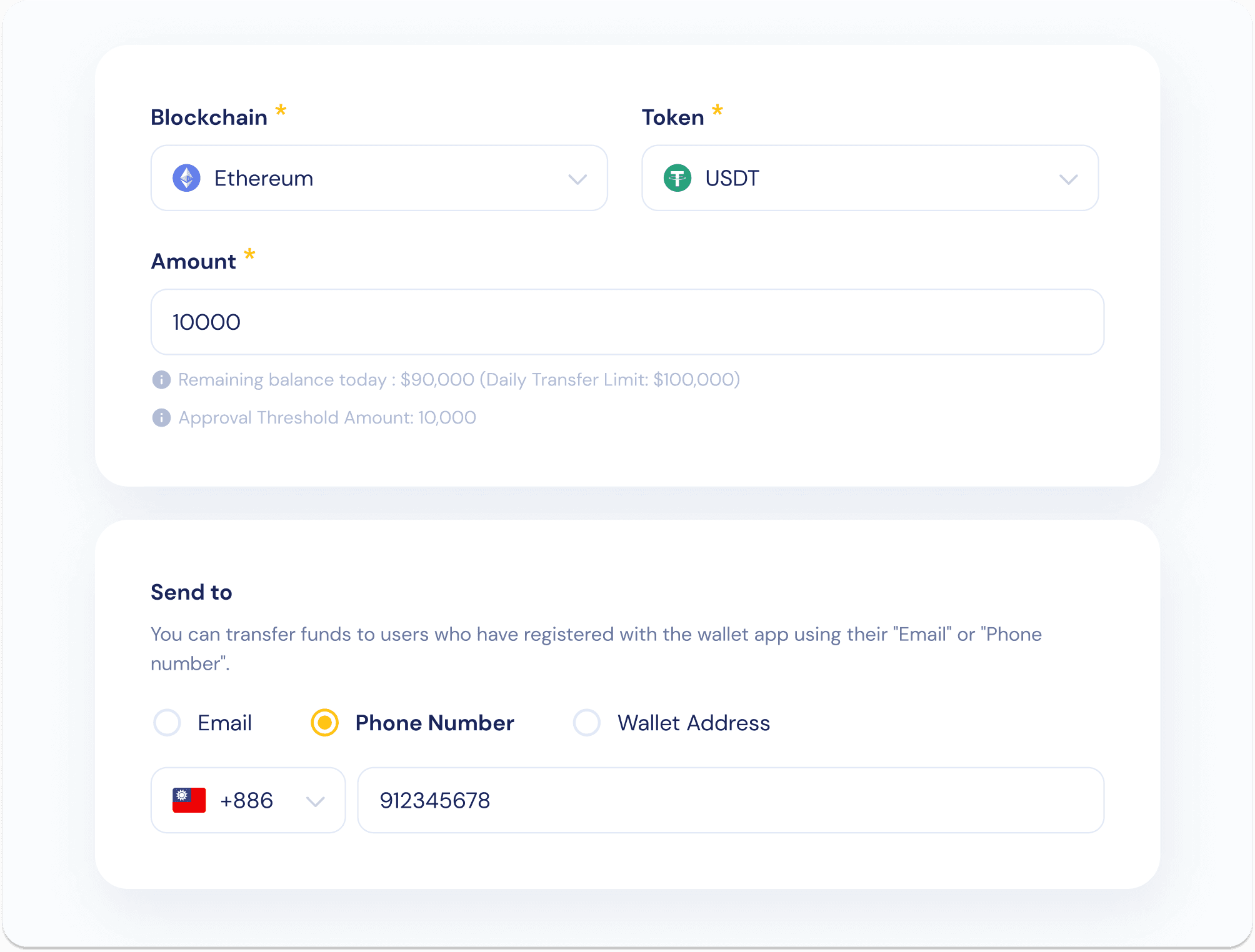
Admins can set a daily maximum transfer limit per individual Trader. Transfer operations exceeding this amount are automatically declined without need for approval.
Transaction types
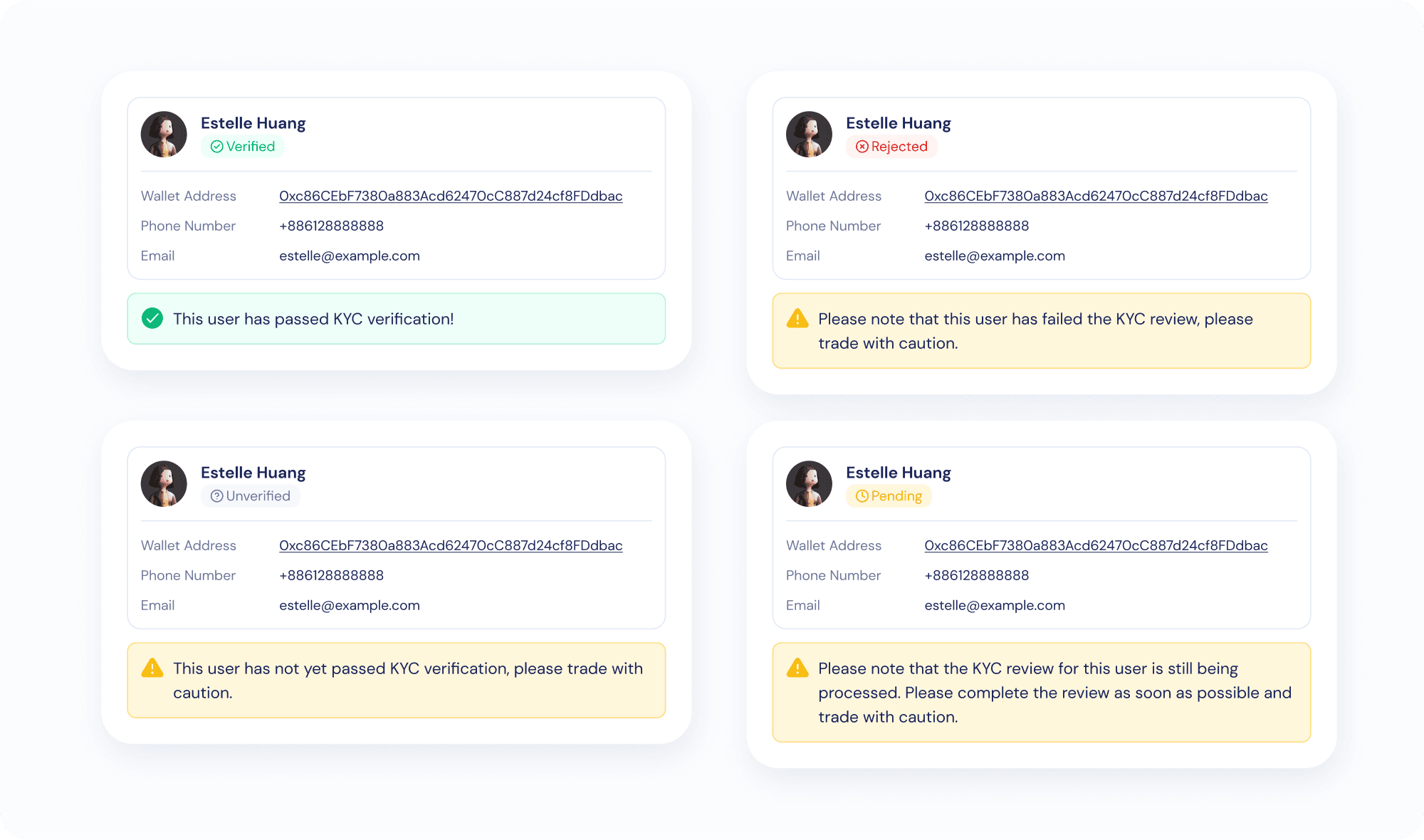
AssetPro operators may send funds to a wallet address, or to a user via phone or email.
- Sending to a wallet address triggers KYA address-risk screening on the address.
- Sending to a user surfaces the user’s KYC status.
Review Notes
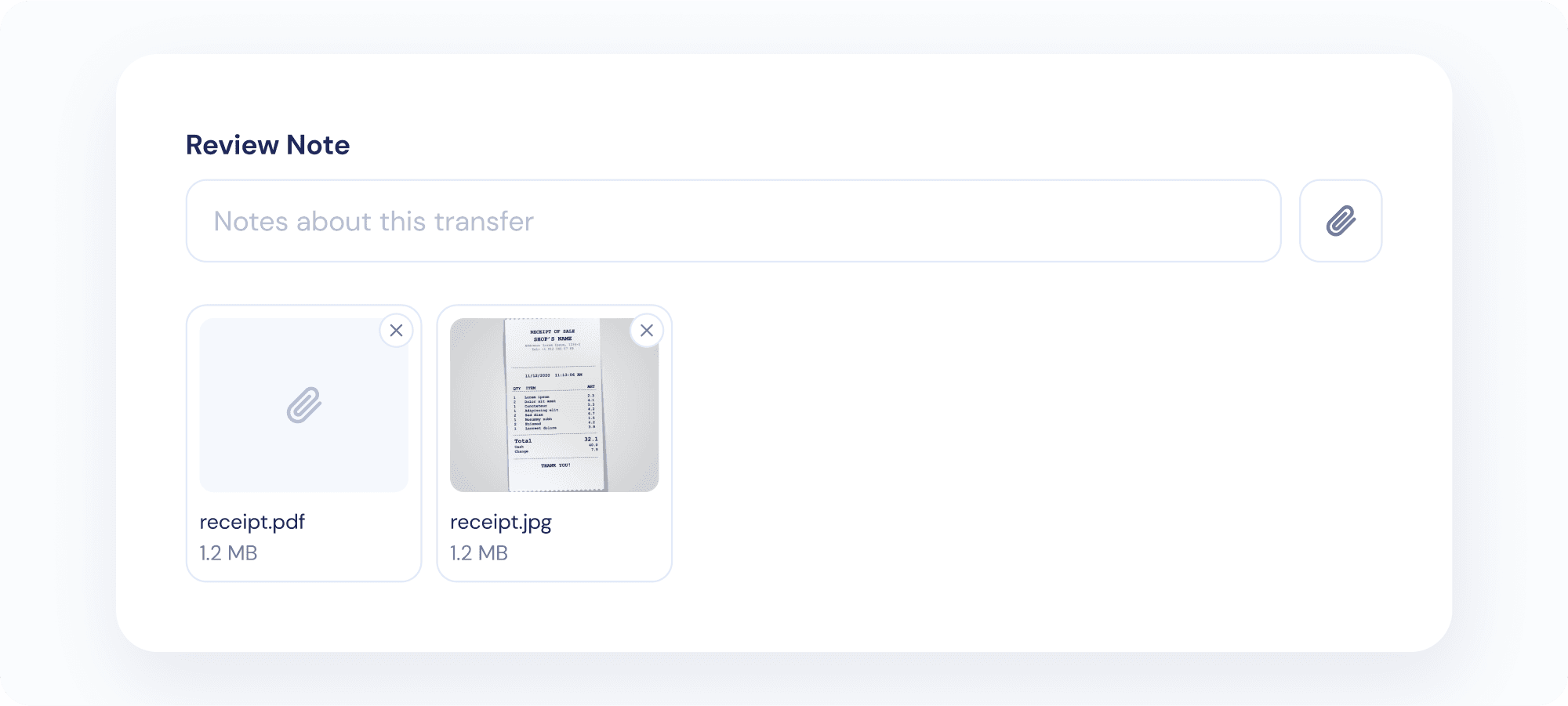
AssetPro operators may attach related documents to any given transaction using the Review Notes feature.
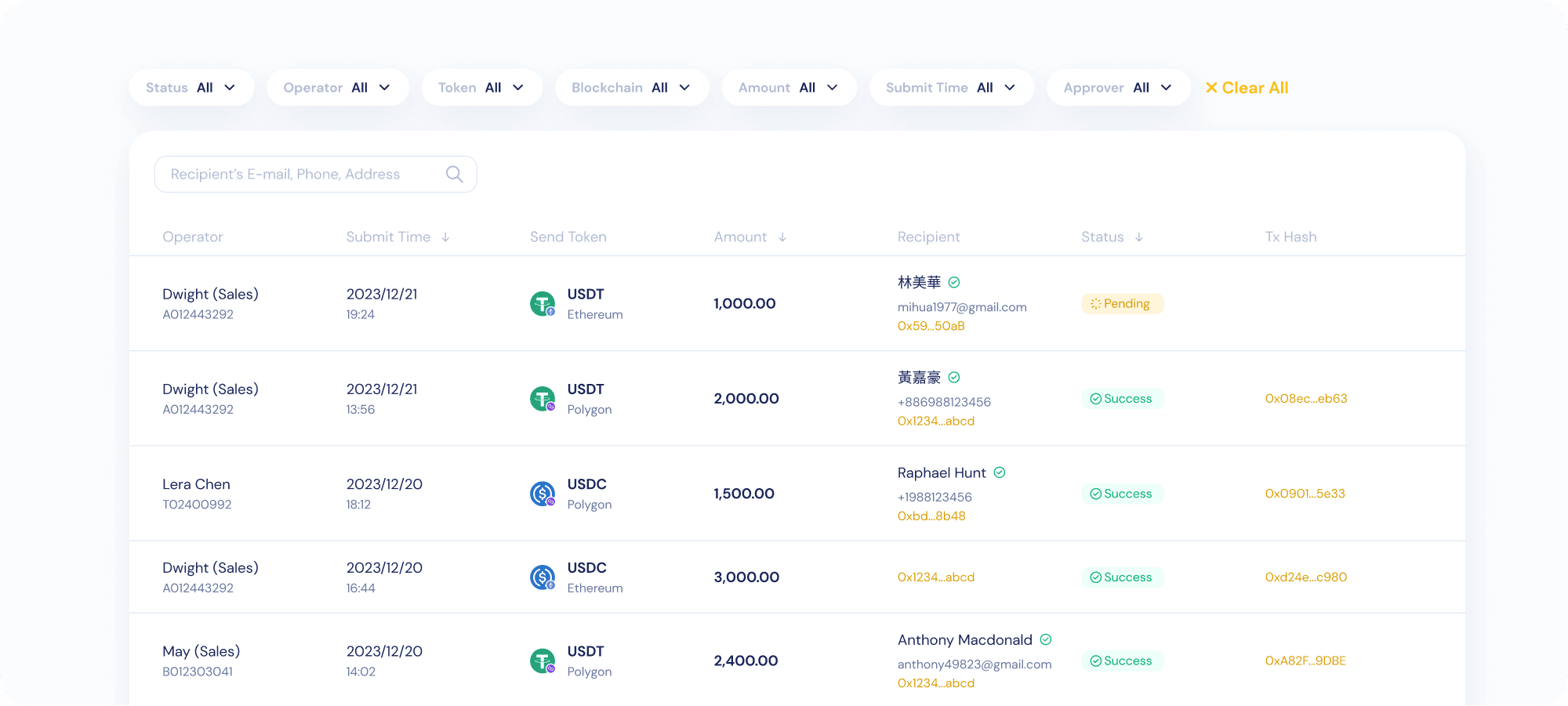
Viewing transactions
Personnel with Admin and Approver permissions can see all the transactions their organisation has submitted. Traders can see only the transactions they themselves have submitted.